Isometric object sprites
Skill 0xheycat/isometric-game-skills/skills/isometric-object-sprites
Agent-ready toolkit for isometric games: ComfyUI art pipelines, seamless terrain, sprites, grid math, Canvas2D rendering, pathfinding, and asset automation.
npx -y skills add 0xheycat/isometric-game-skills --skill isometric-object-spritesAssembled from the repository path, not quoted from the project. Check it against their README if it does not work.
One thing to look at
- 5 stars5 stars. Stars are a popularity signal and not a quality one, but at this level it is likely that nobody has read this closely except its author, and you would be relying on your own review.
What its author says it does
Copied from the file, not written here
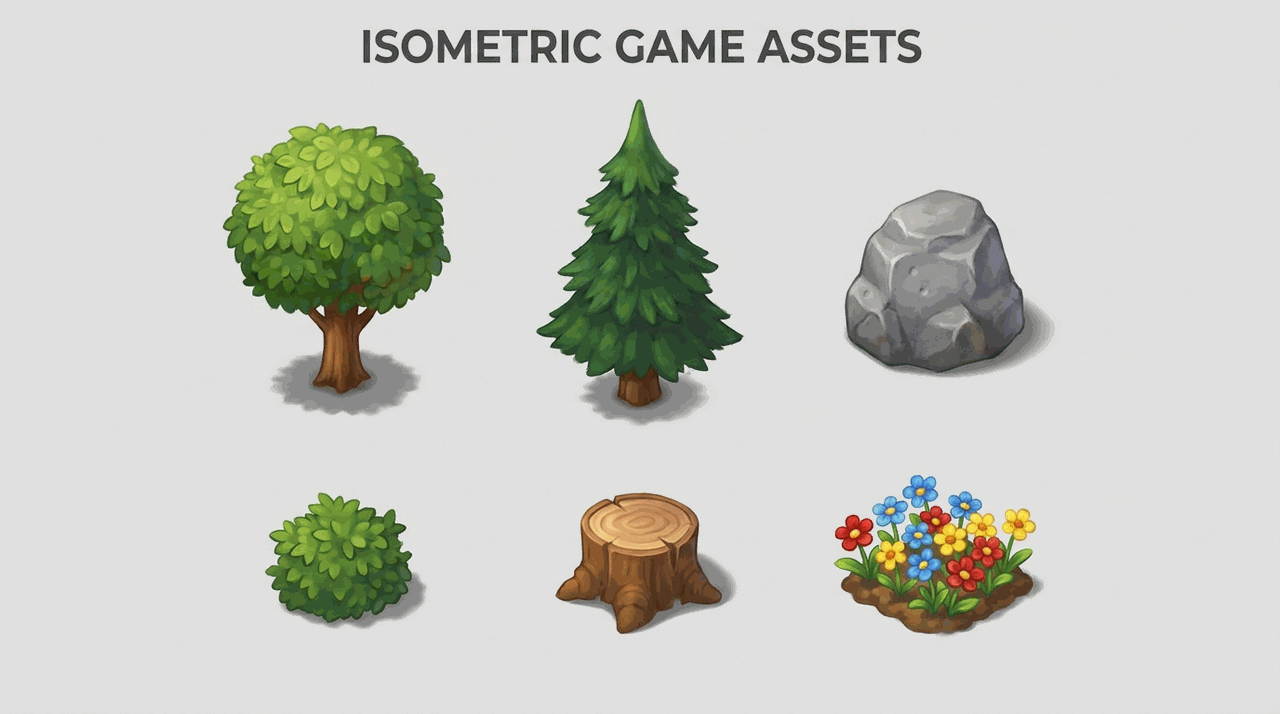
Use when generating isolated isometric props (trees, rocks, bushes, stumps) that drop cleanly onto tiles with correct scale and a transparent background.
The file declares its own license as MIT. That is the author’s claim about this one file, and it is not the same thing as the license GitHub reports for the repository, which is listed with the other numbers below.
SKILL.md
2.3 KB, as published. Nobody here has run it
Isometric Object Sprites
Overview
Objects are sprites that sit ON tiles, not tiles themselves. They must be isolated on a plain background, share one scale, and have a defined ground-anchor so depth sorting works later. This skill produces clean, consistent props.
When to Use
- You need trees, rocks, bushes, fences, or other decorative props.
- Props look different sizes or styles when placed together.
- You need transparent, drop-in-ready object sprites.
Process
- Confirm art direction is locked (see
isometric-art-direction). - Prompt ONE object per image, isolated on a plain flat background, with a soft contact shadow.
- Keep the surface/style phrase SHORT - long prompts add unwanted props and edges.
- Use a FIXED seed and identical settings across the whole object set for scale consistency.
- Generate, then send to
transparent-cutout-cleanupfor clean alpha edges. - Define the ground-anchor (bottom-center of the footprint) for each sprite.
- Place 3 objects on a test tile to confirm scale and anchor before scaling up.
Prompt template:
single isometric [object], 2:1 isometric view, soft painterly shading,
simple clean composition, isolated on plain flat background, soft contact shadow,
game asset, high quality
Rationalizations (Stop Lying to Yourself)
| Excuse | Reality |
|---|---|
| "I can generate several objects in one image to save time" | Then you cannot place them individually and scales drift. One object per image. |
| "Scale looks close enough" | Close enough reads as broken in-game. Fix the seed and settings. |
Red Flags - STOP if you catch yourself:
- Multiple objects crammed into one generation.
- Inconsistent scale across the prop set.
- Leftover background fringe because cleanup was skipped.
Verification
You are NOT done until every box is checked:
- Each prop is a single isolated sprite with transparent background.
- All props share one scale and style.
- Each sprite has a defined ground-anchor and passes a placement test.