Animated sprite generation
Skill 0xheycat/isometric-game-skills/skills/animated-sprite-generation
Use when creating looping animated isometric sprites (water, fire, windmills, flags) as frame strips that play back smoothly in-engine.From its SKILL.md
npx -y skills add 0xheycat/isometric-game-skills --skill animated-sprite-generationAssembled from the repository path, not quoted from the project. Check it against their README if it does not work.
2 things to look at
- 6 stars6 stars. Stars are a popularity signal and not a quality one, but at this level it is likely that nobody has read this closely except its author, and you would be relying on your own review.
- runs commandsInstructs the agent to run 1 command, including `convert frame_*.png +append spritesheet.png`.
What its file declares
Copied from the file, not written here
The file declares its own license as MIT. That is the author’s claim about this one file, and it is not the same thing as the license GitHub reports for the repository, which is listed with the other numbers below.
SKILL.md
2.1 KB, 432 tokens by cl100k_base, as published. Nobody here has run it
Animated Sprite Generation
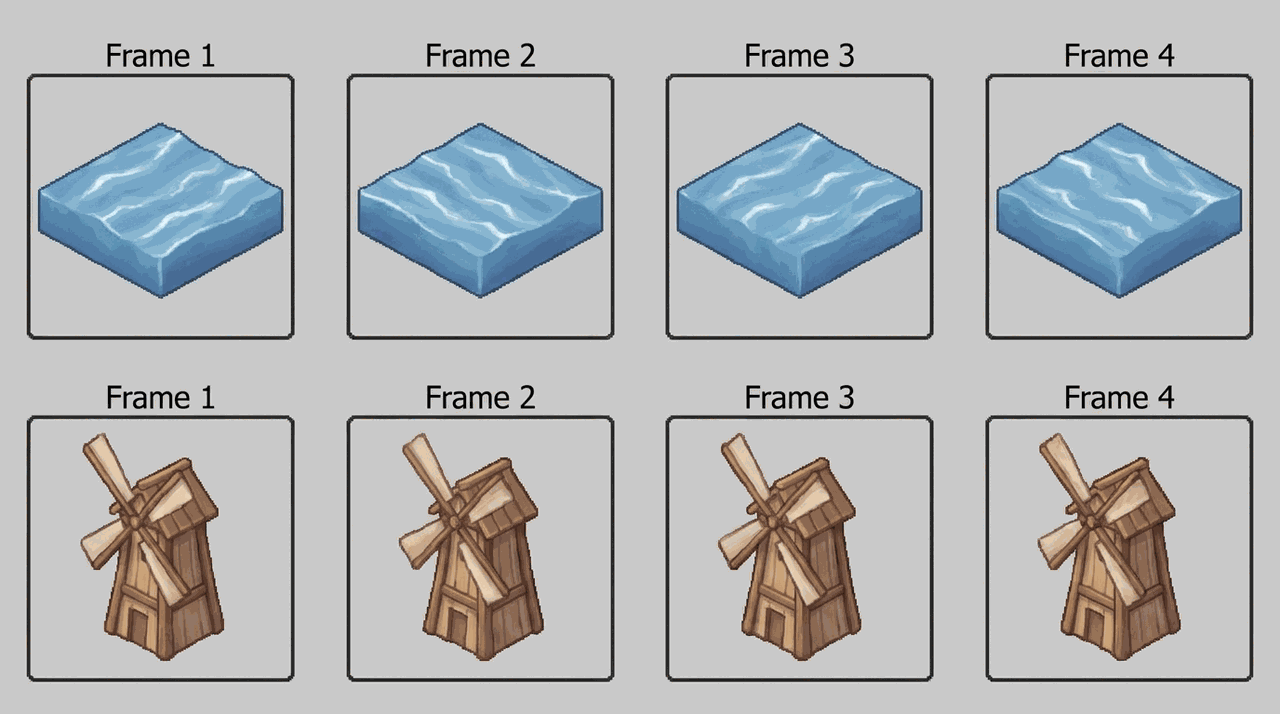
Overview
Animation in 2D isometric games is frame-based, not skeletal. This skill produces short, seamless LOOPS as frame strips. Do NOT animate ground tiles - animate objects on top of them, or performance and visual noise explode.
When to Use
- You need animated water, fire, smoke, windmills, or flags.
- You want idle/ambient motion without a 3D engine.
- A sprite must loop seamlessly without a visible jump.
Process
- Decide frame count for a clean loop (4-8 frames is plenty for ambient motion).
- Generate frames with a FIXED seed, varying only the motion phrase per frame (e.g. wave phase, blade angle).
- Keep the silhouette and lighting identical - only the moving part changes.
- Assemble frames into a horizontal strip / sprite sheet.
- Confirm frame 1 and frame N loop seamlessly (last frame flows into first).
- Play back in-engine at a low FPS (6-12) for ambient motion.
- NEVER animate full ground tiles - animate overlay objects only.
# assemble frames into a horizontal strip
convert frame_*.png +append spritesheet.png
Rationalizations (Stop Lying to Yourself)
| Excuse | Reality |
|---|---|
| "More frames = smoother = better" | More frames = more VRAM and bigger atlas for zero visible gain on ambient loops. |
| "I will animate the water tiles directly" | Animating every ground tile tanks performance. Use an overlay object. |
Red Flags - STOP if you catch yourself:
- Animating ground tiles instead of overlay objects.
- Loop visibly jumps between last and first frame.
- Silhouette or light changes between frames.
Verification
You are NOT done until every box is checked:
- The loop is seamless (last frame flows into first).
- Only the intended part moves; silhouette/light stay fixed.
- Ground tiles are NOT animated; only overlay objects are.
What ships with it: 1 file
235.5 KB alongside SKILL.md
assets/
- demo.png235.5 KB
