Page format
Use this skill when a marketer is drafting page copy in Claude/ChatGPT/Gemini and wants page structure and copy that map cleanly to LandingRabbit-supported sections and content items.From its SKILL.md
npx -y skills add LandingRabbit/landingrabbit-skills --skill page-formatAssembled from the repository path, not quoted from the project. Check it against their README if it does not work.
One thing to look at
- 0 stars0 stars. Stars are a popularity signal and not a quality one, but at this level it is likely that nobody has read this closely except its author, and you would be relying on your own review.
SKILL.md
61.0 KB, ~15.4k tokens by cl100k_base, as published. Nobody here has run it
LandingRabbit Page Format Skill
Purpose
Use this skill when a user is writing landing page copy in Claude/ChatGPT/Gemini and wants:
- Use the LLM service of their choice for content brainstorming and content creation and later bring that content into LandingRabbit.
- Get the copy in a markdown format that LandingRabbit can parse reliably and turn into a page.
- Use only supported LandingRabbit section types and content fields so that users can easily import their ready page structure and copy text into LandingRabbit
Step-by-step task
Your task is to read user's ready landing page copy and format it into the LandingRabbit-Ready Markdown.
- If not already discussed in the chat, ask user to provide a ready copy text for a landing page (e.g., homepage, ads landing page, newsletter subscription page, lead magnet page, pricing page, etc.)
- Review the planned copy text and page structure
- Ask the user for more information if you are unsure about any parts of the content and what section type in LandingRabbit would fit the best for each part of the plan
- Match the copy with the available sections and content items
- Provide your answer in LandingRabbit-ready markdown following the example answers
Important instructions
- Provide your answer as a single document that is easy to copy and paste to LandingRabbit
- Avoid making changes to user's text and section order
- Only share the LandingRabbit-ready markdown with section types and suggested layouts. Don't add any additional comments or explanations in your answer
- Examples in this skill are only to show the supported structure. Preserve user's content and tone of voice
- You don't need to use all available sections and content items. Respect the user's ready content
- Use
---only between sections in the final answer, never inside section content blocks - Never invent any of the optional layout configurations. Refer to the user's instructions, and ask user's guidance when needed.
- If the user is planning a blog post, help document, or any other page that is a standard article format, you can use a single Custom section with markdown.
- Do not output URL-only lines (e.g.
/schedule-a-call,https://...) as normal copy text; keep URLs only inside markdown links[text](url)
Available sections
hero: The main section with the opening value proposition and primary conversion action on most pages.trustedBy: Social proof section for logos and credibility content.collection: Structured how it works, benefits, and list of services/features blocks with repeatable items. These are the most typical layouts on any landing page.testimonials: Customer proof quotespricing: A single service offer or pricing plan comparison tablesteps: Process, checklist, sequence of actions/outcomes, or problems customers face. Only used for clear and simple lists and statements, not for describing something more complex, requiring multiple repeatable items.comparison: Before/after or current/future contrast comparison. For example, showing how the customer felt before and after purchasing the service.faq: Question-and-answer section to handle objections.cta: Focused conversion section, often near the end, but sometimes in between the page content as well.custom: Free-form mixed content (headings, text blocks, image, embed, CTA). Typically used for sections like "About us", simple statements (e.g., H2 and text block), or a full article page contentfeed: Dynamic list of posts from a workspace collection (configuration-only). Shows, for example, the latest blog posts and news articles on a homepage.
Response format for sections
Provide the section type in your answer (e.g., Section type: hero), and when requested by the user, section-specific layout configurations.
For each section, use markdown-native structure like this:
- Eyebrow:
[eyebrow]: ... - Icon (for
collection+boxes-iconsitems):[icon]: ...(leave empty when user should pick icons in UI) - Smallprint:
[smallprint]: ... - Section or item title:
#,##,### - Description/body: plain markdown paragraphs
- CTA links: one per line (each on its own line), e.g.:
[Primary CTA](url)[Secondary CTA](url) - Images:
 - Embeds/forms/widgets: fenced
htmlblocks
In hero, cta, and collection (alternate layout), users can add:
- A grid of boxes that show, for example, company achievements or details about the service. Start with a
[boxes]line, then one heading + paragraph per box (###in hero/cta,####inside a collection-alternate item).- fields:
[eyebrow]: ...(optional), title (the###/####heading), description (paragraph), CTA links (one per line)
- fields:
- A testimonial from a happy client or partner, supporting the section copy and giving it credibility. Start with a
[testimonial]line.- fields: quote (first line), name, role, company
(In collection, [boxes] and [testimonial] apply only when suggestedLayout: alternate.)
Use --- between sections.
Bullet Lists in Descriptions
In any description or subtitle field, start a line with one of these markers to add a styled bullet list:
✅ Text- success (green checkmark); benefits, features, positive outcomes✓ Text- success (legacy plain checkmark); benefits, features, positive outcomes☑ Text- check (plain checkmark); checklists, "what's included"❌ Text(or✗) - destructive (red X); problems, pain points, negative items⭐ Text- star; highlights, featured items→ Text(or➡️) - arrow; directional flows, "next step"- Text(or*,•) - standard bullet (dot); neutral lists:word: Text- a custom icon by one word, e.g.:rocket: Build faster. The word resolves to a matching icon if there's a confident match; otherwise it renders as a plain dot.
Mix marker types and regular paragraphs in the same field. Consecutive lines with the same marker become one list.
Example - hero description with success bullets:
# Your page headline

✅ Pages live in 5 mins
✅ Loved by 200+ teams
✅ GDPR-friendly

[Get started](/signup)
Suggested Layout
For sections that support multiple layouts, add suggestedLayout: on its own line before the section content.
Hero
horizontal(default) - text left, media righthorizontal-reversed- media left, text rightvertical- centered text, no media or media below
Based on the user's request, you can also define optional layout configurations:
style: <saved style name>— apply a named section stylemediaVisibility: all | desktop | mobile | none— show or hide the hero media per device (nonehides it)imageFit: fill | free-ratio— how the hero media fills its slot
Steps
stepDecoration controls the icon shown beside each item. Add it before the section content.
number(default) - numbered; use for sequential process stepsnone- no icon; use for plain content listscheck- checkmark; use for feature checklists and "what's included" listsstar- star; use for highlights and notable achievementsarrow- arrow; use for directional flows and "next step" sequencessuccess- filled circle check; use for benefits and positive outcomesdestructive- filled circle X; use for problems and pain points
If steps item lines already start with emoji markers (for example 😩, ✅, 🚀), set stepDecoration: none.
If stepDecoration is not none, remove leading emoji/icon markers from step lines.
Based on the user's request, you can also define optional layout configurations:
style: <saved style name>— apply a named section stylemediaVisibility: all | desktop | mobile | none— show or hide the section media per deviceimageFit: fill | free-ratio— how the section media fills its slotmediaPosition: left | right— which side of the list the media sits onstepIcon: <one descriptive word or exact CamelCase icon name>— custom icon beside every step (replacesstepDecoration)
Collection
alternate- narrative benefit blocks (each item: title + paragraph, alternating sides) → For example, Benefits, Value propositions, Solutions, "Why choose us", Case study examples and Customer Storiesboxes- feature grid with per-item images → For example, Services, Features, Integrations, Technical capabilitiesboxes-text- text-only feature grid, no images → For example, Use cases, Capability lists, Short feature summariesboxes-icons- icon grid (icon handled separately from text content) → Often quick-scan feature/service highlights or how it works in a few steps (numbers as icons)
When using boxes-icons, do NOT add item [eyebrow]: ... above the icon unless clearly requested in the planned copy. For each [icon]:, use ONE descriptive word (e.g. [icon]: rocket), an exact CamelCase component name that preferably contains one or two semantic words (e.g. [icon]: IconRocket or [icon]: IconArrowRight), or leave it empty ([icon]:) for the user to pick in the UI. Exact names and confident single-word matches resolve to real icons. If a phrase is supplied, only its first word is searched; unmatched values fall back to empty.
Based on the user's request, you can also define optional layout configurations:
style: <saved style name>— apply a named section styleimageFit: fill | free-ratio— how item media fills its slot (alternateandboxeslayouts only)sectionHeaderPosition: above | left— section header placement (boxes layouts only)dividers: on | off— dividers between boxes (boxes layouts only)
Testimonials
carousel(default) - horizontal scroll, best for 3+ testimonialsgrid- all testimonials visible at once, best for 2-4
Based on the user's request, you can also define optional layout configurations:
style: <saved style name>— apply a named section stylesectionHeaderPosition: above | left | right— section header placementimageFit: fill | free-ratio— how testimonial media fills its slotcarouselAutoplay: on | off— auto-advance the carousel (carousel layout only)carouselAutoplayDuration: 2-30— seconds per slide (decimals allowed; only with autoplay on)
Comparison
boxes-text(default) - side-by-side text-only comparisonboxes- sides with a per-side imageboxes-icons- sides with a per-side icon (provided via[icon]: ...inside each side)
Bullet line icons: a leading marker chooses that line's icon and is removed from the text — ✅ → success, ✓ → check, ❌/✗ → destructive, ⭐ → star, → → arrow. Unmarked lines use the side defaults (before: destructive, after: success). One marker per line; do not use other emoji as line markers.
imageFit: fill | free-ratio controls how side images fill their slots (boxes layout only).
CTA
default(default) - centered title, description, and buttonsembed- title and buttons with image or embed alongside
Based on the user's request, you can also define optional layout configurations:
style: <saved style name>— apply a named section stylemediaVisibility: all | desktop | mobile | none— show or hide the media per device (embed layout only)imageFit: fill | free-ratio— how the media fills its slot (embed layout only)
Custom
left(default) - left-aligned, article or blog stylemiddle- centered, landing page style
Based on the user's request, you can also define optional layout configurations:
style: <saved style name>— apply a named section style
Pricing
Pricing has no layout options.
Based on the user's request, you can also define optional layout configurations:
style: <saved style name>— apply a named section stylepricingSwitch: billing-period=toggle, currency=tabs— selector style per switch (baretoggleortabsapplies to the billing switch;toggleneeds exactly two options)
FAQ
FAQ has no layout options.
Based on the user's request, you can also define optional layout configurations:
style: <saved style name>— apply a named section stylesectionHeaderPosition: above | left— section header placement
TrustedBy
TrustedBy has no layout options.
Based on the user's request, you can also define optional layout configurations:
style: <saved style name>— apply a named section stylelogosScroll: off | right-to-left | left-to-right— auto-scroll the logo row (off by default)logosScrollSpeed: 5-120— seconds per scroll loop (only when scroll is on)
Feed
boxes(default) - post grid with per-post imagesboxes-text- text-only post grid, no imagesalternate- narrative post blocks, alternating sides
Feed configuration goes on its own lines after Section type: feed:
suggestedLayout:boxes|boxes-text|alternatestyle:<section style name>collection:<exact collection title or slug>itemCount:1-100showDescription:on|offshowTimestamp:on|offreadMoreText:<text>imageFit:fill|free-ratio(boxes and alternate only)
Section Guide
1) Hero (type: 'hero')
Purpose
Open with the primary promise, context, and next action.
Section fields
eyebrowtitleh2,h3descriptionctassmallprint- Image:
- renders in the image slot - Embed: fenced
htmlblock with<iframe>- renders in the embed slot
Additionally, you can add:
- A grid of boxes that show, for example, company achievements or details about the service. Start with a
[boxes]line, then one heading + paragraph per box (###in hero/cta,####inside a collection-alternate item).- fields:
[eyebrow]: ...(optional), title (the###/####heading), description (paragraph), CTA links (one per line)
- fields:
- A testimonial from a happy client or partner, supporting the section copy and giving it credibility. Start with a
[testimonial]line.- fields: quote (first line), name, role, company
The grid of boxes and testimonials aren't the most typical parts of the hero section, so only add them when the user's page plan and request supports it.
Hero example with an image
[eyebrow]: B2B Website Builder
# Build campaign pages your team can launch this week
Create landing pages from ideas, sales materials, and product docs without starting from a blank page.

[Start your free trial](https://example.com/signup)
[See examples](https://example.com/examples)
[smallprint]: No credit card needed. Publish your first page in minutes.
Hero example with an embed
[eyebrow]: B2B Website Builder

# See how teams publish pages faster with LandingRabbit

Watch a quick walkthrough to understand how drafting, editing, and publishing work in one flow.

```html
<iframe
  width="560"
  height="315"
  src="https://www.youtube.com/embed/abc123"
  title="LandingRabbit walkthrough"
  frameborder="0"
  allowfullscreen
></iframe>
```
Start your free trial Book demo
[smallprint]: Join 200+ teams building and publishing campaign pages.
#### Hero example with a testimonial
```markdown
[eyebrow]: Customer story
# Keep every project on track without the status meetings
Plan work, assign owners, and see progress at a glance — so updates happen in the tool, not in your inbox.
[testimonial]
"We replaced three apps and a weekly status call with one board everyone actually checks."
Maya Chen
Head of Operations
Brightside Studio
[Start free](https://example.com/signup)

Hero example with a box grid
[eyebrow]: Trusted advice

# Grow your wealth with guidance you can rely on

Work with a dedicated advisor who builds a plan around your goals and adjusts it as life changes.

[boxes]

### $2B+

Assets under management

### 30 yrs

Average advisor experience

### 4.9/5

Client satisfaction

### 24/7

Portfolio access

[Book a consultation](https://example.com/consultation)
2) Steps (type: 'steps')
Purpose
Lists and simple statements — process steps ("How it works"), checklists, pain points, or parallel facts and metrics. Not for two opposing groups (before/after, "say goodbye / hello") — use comparison for those.
Section header fields
eyebrowtitlesubtitlectas- Image:
- renders beside the steps list - Embed: fenced
htmlblock with<iframe>- renders beside the steps list
Item fields
Items can be plain lines or structured. Structured items support:
eyebrowtitledescriptionctas
Additionally, you can add:
- Intro or outro paragraphs and
##/###headings before or after the list. - More lists — each additional list renders as its own step group.
- Extra images or an
[embed]iframe beyond the section media slot. - A
[sectionCtas]line whose CTA links become the section's closing buttons.
Problem section pain points (without item descriptions) example
[eyebrow]: Problem

## You know you need new pages, but content creation keeps falling behind

1. Creating new pages is a hassle and a time drain.
2. Other tasks always feel more urgent than website updates.
3. Every update risks inconsistency across channels.
Problem section pain points (with item descriptions) example
[eyebrow]: Problem

## Why teams delay launching new pages

Launching new pages is incredibly hard.

[eyebrow]: Speed

### Slow page creation workflow

Teams jump between docs, design tools, and dev queues before anything goes live.

[eyebrow]: Priorities

### Competing priorities

Campaign pages get deprioritized because production is heavy and hard to repeat.

[eyebrow]: Messaging

### Inconsistent messaging

Updates across ads, pages, and sales assets drift when the process is fragmented.
Steps with check decoration example
stepDecoration:check
[eyebrow]: What's included

## Everything in one place

- Unlimited pages
- Custom domain publishing
- AI section generation
- Team collaboration
3) Collection (type: 'collection')
Purpose
Structured content where each item pairs a heading with a description — features, benefits, services, integrations, value propositions. Can appear multiple times; each distinct section is its own collection.
Section header fields
eyebrowtitledescriptionctas
Item fields
eyebrow- title (the item's
###heading) descriptionctas[icon]: ...(boxes-icons layout)- Image:
(alternate and boxes layouts) - Embed: fenced
htmlblock with<iframe>, or an[embed]line for inline
In the alternate layout only, an item can additionally contain:
- A
[boxes]grid inside the item — a[boxes]line, then one####heading + paragraph per box. This is nested inside the item, not a separate collection item. - A
[testimonial]supporting the item (quote, name, role, company).
Don't use [boxes] or [testimonial] as the collection's main items — they only nest inside an alternate item.
Bottom CTAs
Rarely used. CTA links using a [bottomCtas] marker line render after the last item.
Collection with features example
suggestedLayout:boxes
[eyebrow]: Features

## Build pages faster with fewer bottlenecks

Create pages that prospects love and search engines find.

[eyebrow]: AI Drafting

### Generate full page structures

Create complete first drafts from a short campaign brief.

[eyebrow]: Brand controls

### Keep messaging consistent

Apply your tone, value props, and key claims across sections.

[eyebrow]: Publishing

### Go live on your domain

Publish quickly and iterate without rebuilding from scratch.
Collection with benefits
suggestedLayout:alternate
[eyebrow]: Benefits

## Why teams switch to LandingRabbit

[Start your free trial](https://example.com/signup)

[eyebrow]: Speed to launch

### Ship campaign pages in hours

Move from idea to published page in one streamlined workflow.

[eyebrow]: Better conversion focus

### Keep every section outcome-oriented

Structure pages around pain points, proof, and clear CTA paths.

[eyebrow]: Team alignment

### Reduce handoff friction

Marketers and stakeholders work from one source of truth.
Collection with icons
suggestedLayout:boxes-icons
## Built for modern B2B campaign teams

[icon]:

### Launch fast

Create campaign-ready drafts in minutes.

[icon]:

### Match audience intent

Build pages tailored to keyword, industry, or use case.

[icon]:

### Stay on-brand

Maintain voice, positioning, and visual direction across pages.
Collection boxes with text only
suggestedLayout:boxes-text
[eyebrow]: Use cases

## Create pages from materials you already have

### Keywords

Turn SEO and ad keywords into dedicated pages

### Product docs

Convert specs into clear solution pages

### Sales notes

Create account-specific ABM pages from call insights
4) Testimonials (type: 'testimonials')
Purpose
Customer proof — quotes from happy clients or partners, with optional author photos and company logos. Can appear multiple times.
Section header fields
eyebrowtitlesubtitlectas
Item fields
quotenamerolecompany- Avatar: an image whose alt starts with
Author(e.g.) - Media: any other image
, or an<iframe>embed - Logos: a
[logos]line followed by logo image lines
A testimonial can also be written as a blockquote: > quote — name, role, company.
Bottom CTAs
Rarely used. CTA links using a [bottomCtas] marker line render after the last item.
Testimonials section example
[eyebrow]: Loved by teams
## What our customers say
Real results from real marketing teams.
"We cut campaign page production from two weeks to one day."
Maya Chen
Growth Lead
Northbeam AI

> Publishing became a same-day workflow for our team. — Jonas Ranta, Demand Gen Manager, ScaleForge
[logos]


[Read customer stories](https://example.com/customers)
5) Pricing (type: 'pricing')
Purpose
Pricing tables and plans — plan names with prices, and optionally feature bullets. Use when the user clearly provides plans and prices; otherwise consider a custom section.
Section header fields
eyebrowtitledescriptionctas
Item fields
eyebrowh3(plan name)- price lines (see below)
subtitledescription- plan CTA as a markdown link
[text](url)
Price lines
- Single price: one bare price line —
$49/month. A price without digits (Custom) renders as-is. - Billing switch: one labeled line per period —
Monthly: $49/monthandYearly: $470/year. The labels become the switch options; the FIRST line listed is the default. - Currency switch: repeat a label (or bare line) with another preset currency (
$,€,£) —Monthly: $49/month+Monthly: €45/month. The first currency listed is the default. - Combined switches: write every intended billing-period and currency combination explicitly. Missing combinations stay blank; LandingRabbit does not infer exchange rates or fabricate prices.
- Per-period units work too:
$5/user/month. - Feature lists and copy are shared across switch options (editing per-option copy happens in the editor).
Simple pricing example with two plans
[eyebrow]: Pricing

## Simple, transparent pricing

Pick the plan that fits your team.

[eyebrow]: For individuals

### Starter

$19/month

Everything you need to get going.

✅ 1 workspace
✅ Core features
✅ Email support

[Start Starter](https://example.com/signup)

[eyebrow]: For teams

### Pro

$49/month

Scale with your whole team.

✅ Unlimited workspaces
✅ Team collaboration
✅ Priority support

[Choose Pro](https://example.com/signup)
Pricing section example with monthly and yearly pricing
pricingSwitch: toggle

[eyebrow]: Pricing

## Plans for every growth stage

Pick the plan that matches your campaign volume.

[Compare all plans](https://example.com/pricing)

[eyebrow]: For lean teams

### Starter

Monthly: $49/month
Yearly: $470/year

Launch quickly

✅ 5 active pages
✅ AI section generation
✅ Custom domain publishing

[Start Starter](https://example.com/signup)

[eyebrow]: Most popular

### Growth

Monthly: $149/month
Yearly: $1,430/year

Scale campaigns with collaboration

✅ 25 active pages
✅ Team collaboration
✅ Advanced exports

[Start Growth](https://example.com/signup)
6) Comparison (type: 'comparison')
Purpose
- Show a clear before/after or current/future contrast.
- Exactly two sides, each a
###heading: first = before, second = after. - Also use
comparisonwhen one section has two contrasting bullet groups (e.g. "say goodbye to" and "hello to").
Section header fields
eyebrowtitlesubtitlectas(CTA links before the first###side heading)
Side content (ordered, per side)
[eyebrow]: ...line- the side's
###heading - bullet lines — a leading
✅/✓/❌/✗/⭐/→marker chooses that line's icon and is removed from the text; unmarked lines use the side defaults (before: destructive, after: success) - plain paragraphs (no bullet, no icon)
- CTA links (side-specific button)
- an image
— shown in theboxeslayout - an
[icon]: <one descriptive word or exact CamelCase icon name>line — shown in theboxes-iconslayout; use names such asIconRocketorIconArrowRight, and note that phrases search only their first word
Comparison section example
[eyebrow]: Before vs after

## What changes with LandingRabbit

A side-by-side view of your workflow shift.

[See migration guide](https://example.com/migration)

### Legacy process

- ❌ Copy and design in separate tools
- ❌ Slow review loops
- ✗ Delayed launches

### LandingRabbit workflow

- ⭐ One place for structure, copy, and publish
- → Faster iteration cycles
- ✅ Better consistency across campaigns
Comparison from "goodbye / hello" copy pattern
[eyebrow]: Effortless efficiency

## If your team can use email and WhatsApp, they can use HotKup

### Say goodbye to

- Endless status meetings and chasing updates
- Duplicating work across tools
- Tasks falling through the cracks
- Hefty, modular price tags

### Hello to

- Everything in one place — no more "which WhatsApp group was that in?"
- Update once, everyone sees it — no more copying between sheets and apps
- Everyone knows what needs doing next — work actually gets done
- One price. Full functionality. Designed for SMMEs.
7) FAQ (type: 'faq')
Purpose
Answer common questions and handle objections. Only include when the user explicitly provides Q&A content.
Section fields
eyebrowtitlesubtitlectas
ctas are CTA links before the first question.
Item fields
questionanswer
Link-only lines inside an answer stay in the answer.
Bottom CTAs
Rarely used. CTA links using a [bottomCtas] marker line render after the last item.
Example
[eyebrow]: FAQ

## Questions teams ask before switching

Short answers to common blockers.

### Can we publish on our own domain?

Yes. You can publish pages to your custom domain.

### Can we export content and designs?

Yes. Export to Webflow, Figma, JSON, Markdown, PDF, and PNG.

### Is this only for marketers?

No. Growth, product marketing, and content teams use it collaboratively.

[bottomCtas]

[See our documentation](https://example.com/docs)
8) CTA (type: 'cta')
Purpose
Call-to-action section — a focused conversion block, often closing a page but usable anywhere. Can appear multiple times.
Section fields
eyebrowtitleh2,h3descriptionctassmallprint- Image:
- renders in the embed-layout media slot - Embed: fenced
htmlblock with<iframe>- renders in the embed-layout media slot
Additionally, you can add:
- A grid of boxes, e.g. company achievements or service details. Start with a
[boxes]line, then one###heading + paragraph per box.- fields:
[eyebrow]: ...(optional), title (the###heading), description (paragraph), CTA links (one per line)
- fields:
- A testimonial from a happy client or partner, supporting the section copy. Start with a
[testimonial]line.- fields: quote (first line), name, role, company
CTA section example
[eyebrow]: Ready to launch

## Build your next B2B campaign page today

Start with AI-assisted structure, refine messaging, and publish in minutes.

[Create my page](https://example.com/signup)
[Talk to sales](https://example.com/demo)

[smallprint]: Free trial available.
9) Custom (type: 'custom')
Purpose
Free-form prose that doesn't fit a structured type — "About us", "Our story", company background, or a full article/blog body. Not for subtitle + description item pairs (use collection).
Section fields
eyebrowh1,h2,h3textsmallprintblockquote: Markdown>quotecode: fenced code block shown as-is. Tag it with the actual language (html,css,javascript,typescript,json,bash) to syntax-highlight it. For plain text or anything that isn't one of those languages, label the fence with a phrase likecode block textso a human reading the markdown recognizes it as a code block; it renders as plain monospace. A fenced<iframe>renders instead — see Embed.highlight: callout box — wrap inner lines in[highlight]…[/highlight](eyebrow,##/###, text, smallprint, CTA links; no nested image)table: Markdown pipe table (first row is the header)ctaauthor-date: byline, e.g.By Jane Smith · Apr 27, 2026- Image:
 - Embed: fenced
htmlblock with<iframe>, or a plain YouTube/Vimeo URL
Custom section example
[eyebrow]: Our approach
# Build momentum, not bottlenecks
## Why we built LandingRabbit
### A faster path from idea to live campaign
LandingRabbit is for B2B teams that need fast launches and consistent conversion-focused copy.
[Read customer stories](https://example.com/customers)

```html
<iframe src="https://www.youtube.com/embed/abc123xyz" frameborder="0" allowfullscreen></iframe>
```
### 10) TrustedBy (`type: 'trustedBy'`)
#### Purpose
Add social-proof credibility with logos and supporting text. Use for customer/client logos and social-proof sections ("Trusted by", "Customer logos", "Partners", "Join 5,000+ businesses").
#### Section fields
- `eyebrow`
- `h2`, `h3`
- `text`
- `ctas`
- `logos`: `[logos]` line, then logo images `` — or leave empty to upload logos in the editor
- Image: ``
- Embed: fenced `html` block with `<iframe>`, or a plain YouTube/Vimeo URL
#### TrustedBy section example
```markdown
[eyebrow]: Social proof
## Trusted by modern B2B teams
Used by SaaS, fintech, and agencies running high-velocity campaigns.
Logos: [Add 6-10 customer logos in editor]
[See customer stories](https://example.com/customers)
11) Feed (type: 'feed')
Purpose
Render a dynamic list of posts from a workspace collection (e.g. a blog). Feed is configuration-only.
Rules
- A feed MUST begin with a
Section type: feedline — it is never inferred from copy. - No post items are authored; posts come from the selected collection.
- Prefer the collection slug (unique) over the title (may collide).
- Use
[bottomCta]for the closing button. - Export does not preserve the collection selection — add a
collection:line before re-importing.
Section fields
- Optional
[eyebrow]:,## title, subtitle, and section CTA links. - Configuration directives:
collection,itemCount,showDescription,showTimestamp,readMoreText,imageFit.
Feed example
Section type: feed
collection: blog
itemCount: 4
suggestedLayout: alternate
showTimestamp: off
readMoreText: Read the story
imageFit: free-ratio

## Latest stories

Insights and practical guides from our team.

[Subscribe](/newsletter)

[bottomCta]

[View all stories](/blog)
Example answers
- Provide as a single txt or markdown file the user can copy and paste to LandingRabbit
Example document A
Section type: hero
suggestedLayout:vertical
[eyebrow]: B2B Website Builder

# Turn your ideas into marketing pages in 10 minutes

✅ Create landing pages in minutes
✅ Turn existing materials into publish-ready drafts
✅ Keep messaging consistent across teams

[Start your 14-day free trial](/signup)
[Book demo](/demo)

[smallprint]: No credit card needed.
Section type: steps
stepDecoration:destructive
[eyebrow]: Problem

## You know you need new pages, but content creation keeps dropping down your list

- Creating new pages is slow and repetitive.
- Higher-priority tasks always win.
- Updates feel risky and inconsistent.
Section type: collection
suggestedLayout:alternate
[eyebrow]: How it works
## LandingRabbit creates marketing pages from ideas and materials you already have
[eyebrow]: STEP 1
### Add your website URL
LandingRabbit learns your brand and business context.

[eyebrow]: STEP 2
### Create pages from ideas and materials
Turn page ideas, sales decks, and docs into drafts.

Section type: comparison
[eyebrow]: Before vs after

## Replace fragmented workflows

A side-by-side view of your workflow shift.

[See migration guide](/migration)

### Legacy process

- ❌ Copy in one tool, design in another
- ❌ Slow handoffs
- ❌ Late launches

### LandingRabbit workflow

- ✅ One workflow from brief to publish
- ✅ Faster iteration
- ✅ Better consistency
Section type: faq
## Frequently Asked Questions

### Can I use my own domain?

Yes, custom domains are supported.

### Can I export to other tools?

Yes. Export to Webflow, Figma, JSON, Markdown, PDF, and PNG.
Section type: cta
suggestedLayout:default
[eyebrow]: Ready to launch

## Create new pages from ideas you already have

Sign up and create unlimited pages.

[Start your 14-day free trial](/signup)
[Talk to sales](/demo)

[smallprint]: Free trial available.
Example document B
Section type: hero
suggestedLayout:vertical
[eyebrow]: Security operations

# Reduce alert fatigue with AI-assisted triage

Help analysts focus on real threats with smarter prioritization.

[Start trial](https://security.example.com/start)
[Request demo](https://security.example.com/demo)

[smallprint]: Deploy in days, not months.
Section type: collection
suggestedLayout:alternate
[eyebrow]: Product value

## What your SOC gains immediately

[eyebrow]: Signal quality

### Fewer false positives

Improve triage confidence by prioritizing actionable threats.

[eyebrow]: Analyst efficiency

### Faster investigations

Automate repetitive classification and enrichment tasks.
Section type: comparison
[eyebrow]: Current vs improved

## SOC workflow transformation

A side-by-side view of your workflow shift.

[See architecture](https://security.example.com/architecture)

### Before

- ❌ Noisy queues
- ❌ Slow context gathering
- ❌ Inconsistent prioritization

### After

- ✅ Cleaner queues
- ✅ Faster context
- ✅ Better prioritization
Section type: testimonials
suggestedLayout:grid
## What customers say

"We cut campaign page production from two weeks to one day.”
Maya Chen
Growth Lead
Northbeam AI

“Publishing became a same-day workflow for our team.”
Jonas Ranta
Demand Gen Manager
ScaleForge
Section type: cta
suggestedLayout:default
[eyebrow]: Next step

## See how your SOC can triage faster

[Book technical demo](https://security.example.com/demo)

[smallprint]: Includes architecture review.
Example document C
Section type: hero
suggestedLayout:vertical
[eyebrow]: HR and People Ops

# Onboard new hires with confidence and consistency

Create role-specific onboarding journeys that improve ramp time.

[Get started](https://hr.example.com/start)
[See product tour](https://hr.example.com/tour)

[smallprint]: Trusted by distributed teams.
Section type: steps
stepDecoration:number
[eyebrow]: Onboarding flow

## A structured path from offer to productivity

1. Trigger onboarding when offer is accepted.
2. Assign role-based learning paths.
3. Track completion and manager checkpoints.
4. Measure 30/60/90-day ramp progress.
Section type: pricing
[eyebrow]: Pricing

## Plans for growing teams

[Compare all plans](https://hr.example.com/pricing)

[eyebrow]: Small organizations

### Team

$199/month

Up to 100 employees

✅ Core onboarding workflows
✅ Templates and checklists
✅ Reporting dashboard

[Start Team](https://hr.example.com/start)

[eyebrow]: Scaling organizations

### Business

$499/month

Up to 500 employees

✅ Advanced automation
✅ Department reporting
✅ Priority support

[Start Business](https://hr.example.com/start)
Section type: trustedBy
[eyebrow]: Trusted by people-first companies

## Customer proof

Used by people and talent teams scaling onboarding programs.

Logos: [Add customer logos]

[See customer stories](https://hr.example.com/customers)
Section type: cta
suggestedLayout:default
[eyebrow]: Ready to improve ramp time

## Start your onboarding transformation

[Book onboarding consult](https://hr.example.com/demo)

[smallprint]: Includes implementation planning session.
Example document D
Section type: hero
suggestedLayout:vertical
[eyebrow]: Made for B2B Marketers
# Turn ideas into live pages
You know your audience. You have decks, docs, and ideas — but no time to turn them into pages.
LandingRabbit takes what you already have and **builds your pages for you**.
[Try it free for 14 days](/signup)
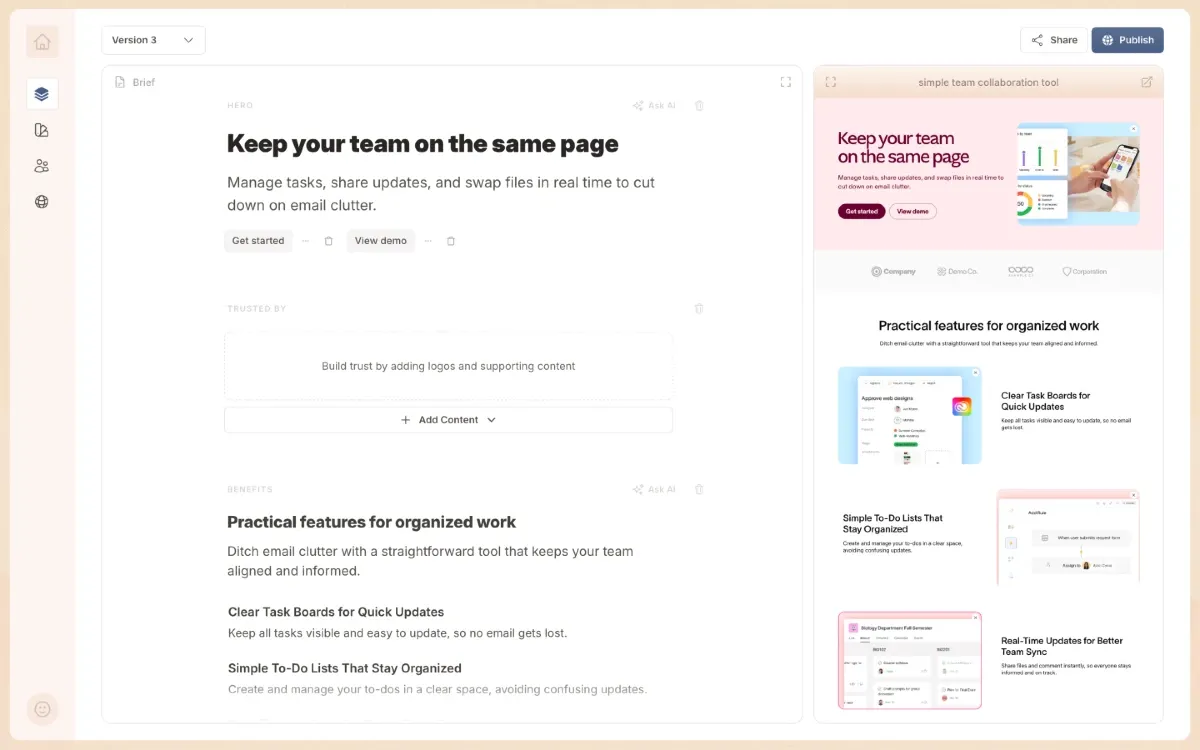
[smallprint]: No credit card required. Trusted by 200+ teams.
Section type: steps
stepDecoration:destructive
## You keep putting off new pages because the process is too slow

- There's **never enough time** to write and publish new content
- **Your current tools make it harder**, not easier, to ship pages fast
- And **things break** every time you try to change something live
Section type: collection
suggestedLayout:alternate
[eyebrow]: How it works
## Go from a rough idea to a live page in under 10 minutes
[eyebrow]: STEP 1
### Your brand is set up automatically
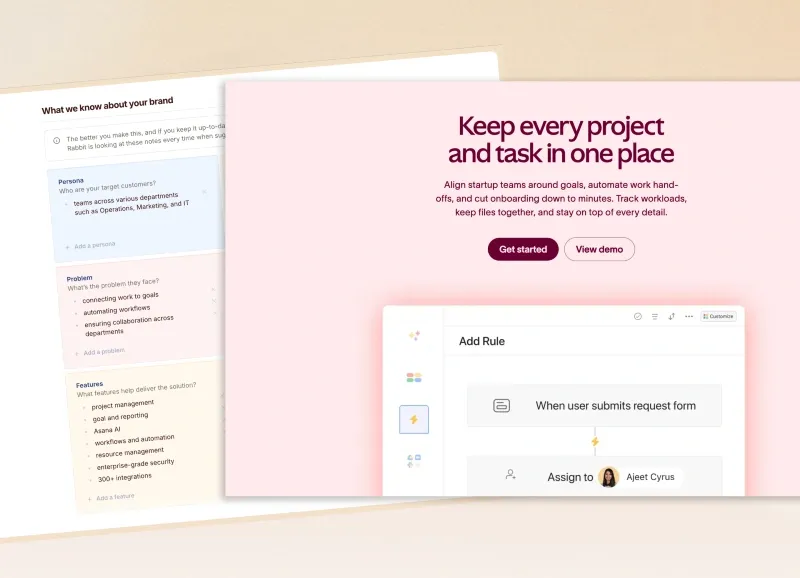
Connect your website and LandingRabbit picks up your colours, fonts, and tone — so every page looks right from day one.
[eyebrow]: STEP 2
### Add your content and let AI do the heavy lifting
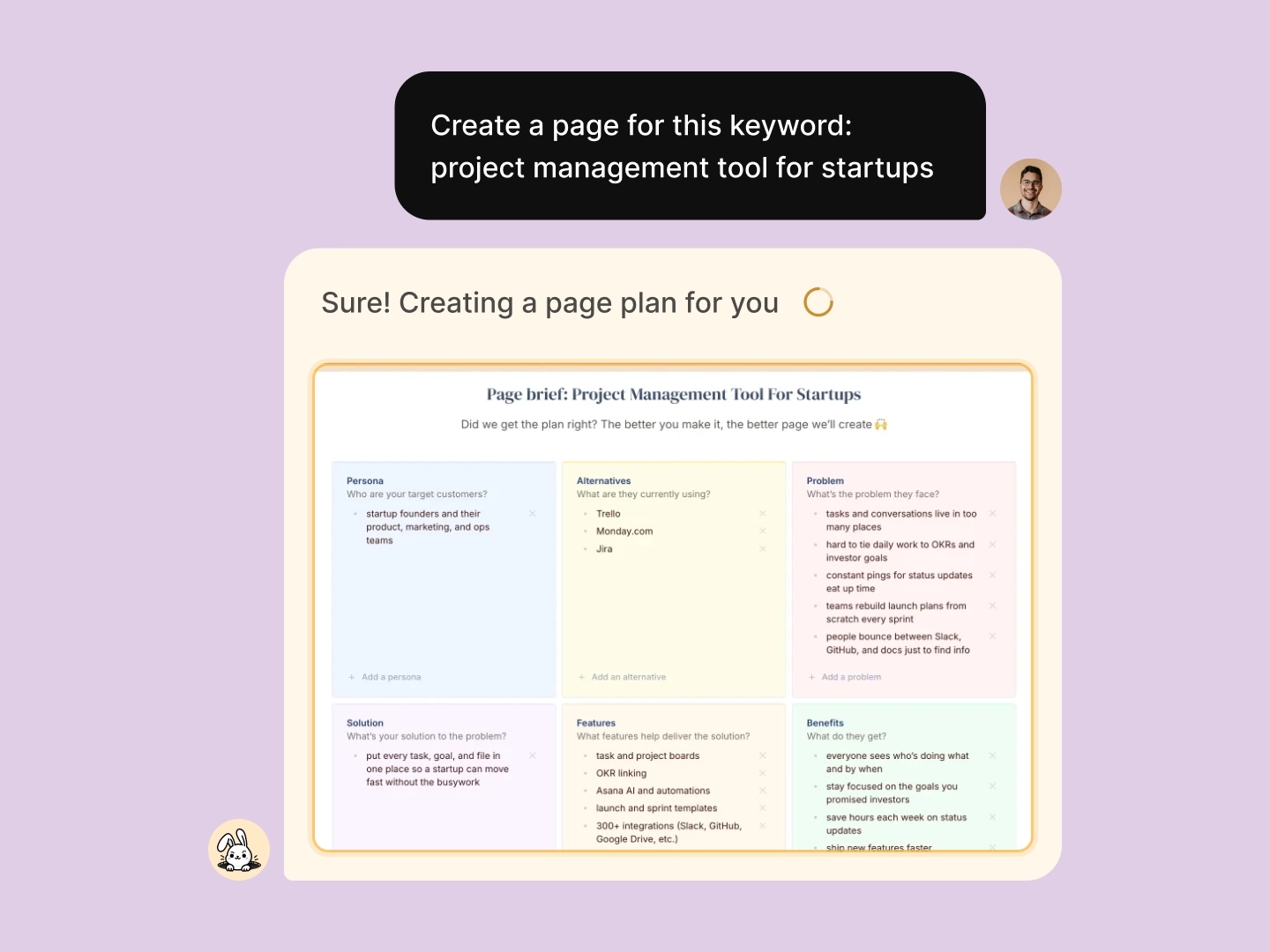
Drop in a keyword, a deck, or a brief — anything works. LandingRabbit turns it into a full page draft ready to publish.
[eyebrow]: STEP 3
### Fine-tune your draft with a live preview alongside
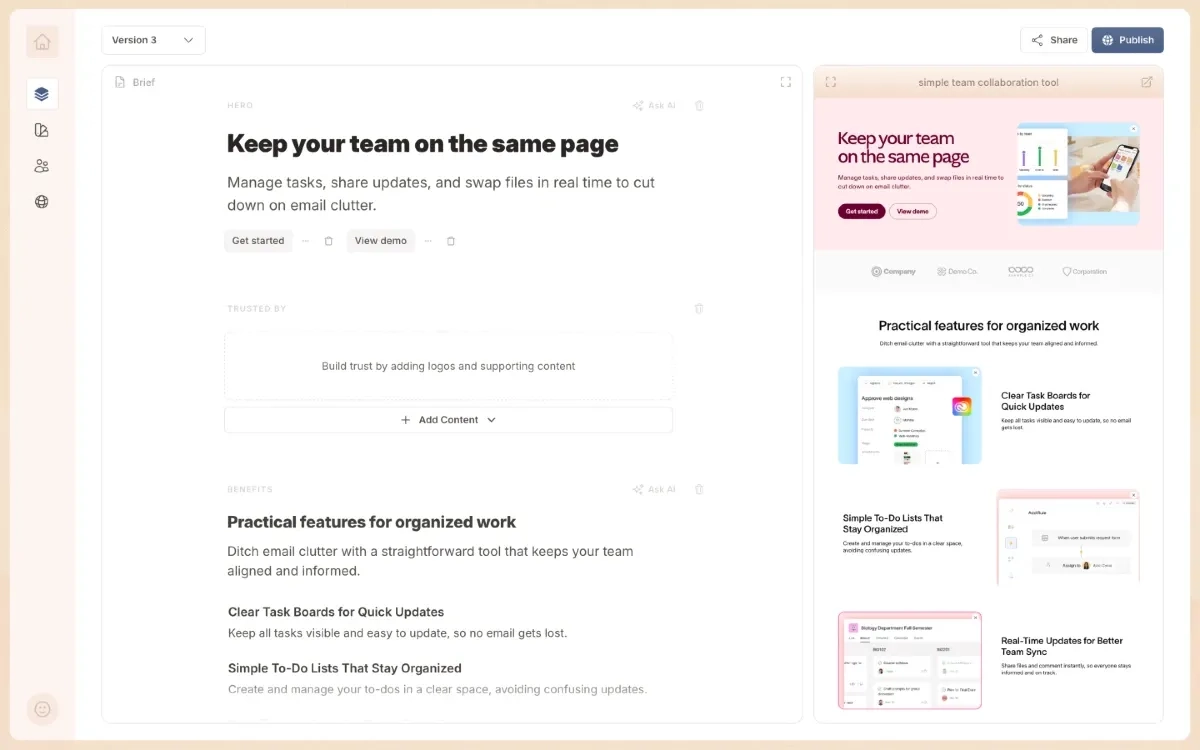
AI handles the first draft — you polish the rest. Ask LandingRabbit to tweak copy or adjust the design at any point.
[eyebrow]: STEP 4
### Publish to your own domain in minutes
Skip the pixel-pushing. Hit publish on mycompany.com and start sharing with prospects right away.
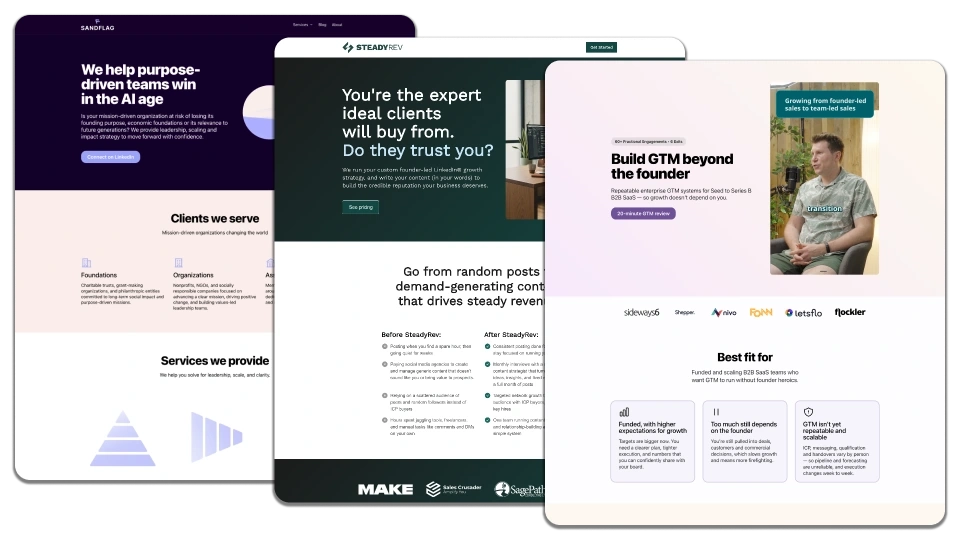
Section type: collection
suggestedLayout:boxes
## Build more pages from what you already know
Your best content is already in your tools. Use it to make pages that convert. 👇
### Keywords into ad and SEO pages
Feed in your keyword list and get Google Ads-ready landing pages. More clicks, same budget.

### Product specs into solution pages
Turn internal docs and specs into polished solution pages and help content. Put your work in front of buyers.

### Slides into role and industry pages
Repurpose your pitch decks into role-specific or industry-specific pages that speak directly to each visitor.
### Sales notes into account pages
Convert your call notes into personalised ABM pages. Show each prospect you understand their problem.

### Blog posts into use case pages
Repurpose your best posts into dedicated use case pages. Capture leads you'd otherwise lose.
### Research into comparison pages
Take your competitive research and turn it into comparison pages that make the choice obvious for buyers.
Section type: custom
suggestedLayout:middle
## See it in action — your first page in under five minutes 👇

```html
<iframe
  width="560"
  height="315"
  src="https://www.youtube.com/embed/LJBWYbja7R0?si=bipThkyW5-AEOfpr"
  title="YouTube video player"
  frameborder="0"
  allow="accelerometer; autoplay; clipboard-write; encrypted-media; gyroscope; picture-in-picture; web-share"
  allowfullscreen
></iframe>
```
Section type: faq
## Common questions

### What makes LandingRabbit different?

Most page builders make you start from a blank canvas. LandingRabbit starts from what you already have — decks, notes, keywords, or any other content you own.

### How do I get started?

[Start your free trial](/signup) and have your first page live before the end of the day.

### Where can I publish my pages?

Publish straight to your own domain (e.g., mycompany.com), or export into [Figma](/figma-plugin) and drop it into any custom site.

### Can my team review pages before they go live?

Absolutely. Invite teammates to collaborate inside LandingRabbit, or share a private preview link to collect feedback before you hit publish.

### What if I'm stuck on the copy?

Just ask. LandingRabbit knows your business and your materials, so it can rewrite sections, suggest alternatives, or rework the whole page — whenever you need a hand.

### What does it cost?

Plans start at $39/month. Find all the details on [our pricing page](/pricing).

### Can I use LandingRabbit as my main website?

Yes — use a subdomain for campaign pages or point your whole domain to LandingRabbit.
Section type: cta
suggestedLayout:embed
## Start shipping pages today

Join 200+ teams and in your first 14 days:

✅ **Unlimited pages** — ads, help docs, blog posts, and anything else you need
✅ **Team reviews built in** — share drafts and collect feedback before you publish
✅ **Your domain, your rules** — publish on your own URL or export to Figma and custom sites
✅ **Direct access to the founders** — people who've built websites for 15+ years

```html
<style>
  .signup-form {
    width: 320px;
    padding: 25px;
    border-radius: 8px;
    background: #ffffff;
    box-shadow: 0 4px 12px rgba(0, 0, 0, 0.1);
    font-family: Arial, sans-serif;
  }

  .signup-form h2 {
    text-align: center;
    margin-bottom: 20px;
  }

  .signup-form label {
    display: block;
    margin-bottom: 5px;
    font-size: 14px;
  }

  .signup-form input {
    width: 100%;
    padding: 10px;
    margin-bottom: 15px;
    border: 1px solid #ccc;
    border-radius: 5px;
    font-size: 14px;
  }

  .signup-form input:focus {
    outline: none;
    border-color: #4caf50;
  }

  .signup-form button {
    width: 100%;
    padding: 10px;
    background: #4caf50;
    color: white;
    border: none;
    border-radius: 5px;
    font-size: 16px;
    cursor: pointer;
  }

  .signup-form button:hover {
    background: #43a047;
  }
</style>

<div class="signup-form">
  <h2>Sign Up</h2>
  <form>
    <label>Name</label>
    <input type="text" placeholder="Enter your name" required />

    <label>Email Address</label>
    <input type="email" placeholder="Enter your email" required />

    <label>Password</label>
    <input type="password" placeholder="Enter password" required />

    <button type="submit">Sign Up</button>
  </form>
</div>
```
Example answers with layout configurations
Every layout and configuration directive below is optional and based on user's requests. For example, you can add style, logosScroll, mediaVisibility, imageFit, sectionHeaderPosition but add them only when users ask for them. Never invent a style: name — use one only when the user has saved that style.
Example document E — Ads landing page (project management tool)
Section type: hero
suggestedLayout:horizontalstyle: blackimageFit:fill
[eyebrow]: Project management
# Every project, every deadline, on one screen
Give your team one place to plan work, assign owners, and track progress — so nothing slips between status meetings.

[Start free](https://example.com/signup)
[Watch 2-min demo](https://example.com/demo)
[smallprint]: Free 14-day trial. No credit card required.
Section type: steps
stepDecoration:check
[eyebrow]: What you get

## Everything your team needs to ship on time

- Boards, timelines, and calendars in one workspace
- Automatic reminders before a deadline slips
- Workload view to balance who does what
- Real-time updates that replace the status meeting
Section type: collection
suggestedLayout:boxes-icons
## Built for teams that move fast

[icon]: layout

### See the whole plan

Switch between board, timeline, and calendar without losing context.

[icon]: bell

### Catch risks early

Get alerted the moment a task is blocked or running late.

[icon]: users

### Keep everyone aligned

One source of truth replaces scattered docs and chat threads.
Section type: testimonials
suggestedLayout:grid
[eyebrow]: Customer proof

## Teams ship 30% faster

"We replaced three tools and a weekly status call with one board everyone actually checks."
Maya Chen
Head of Operations
Brightside Studio

"Deadlines stopped sneaking up on us — what we're behind on is visible long before it's a problem."
Daniel Roth
Engineering Manager
Northwind Labs
Section type: cta
[eyebrow]: Get started

## Bring your next project in on time

Set up your first board in minutes and invite your team today.

[Start free](https://example.com/signup)
[Talk to sales](https://example.com/demo)

[smallprint]: 14-day free trial. Cancel anytime.
Example document F — Pricing page (financial services)
Section type: hero
suggestedLayout:vertical
[eyebrow]: Pricing

# Plans that scale with your finance team

Pick a plan by company size. Every plan includes corporate cards, automated expense reports, and accounting sync.

[smallprint]: No setup fees. Switch or cancel anytime.
Section type: trustedBy
## Trusted by finance teams at 2,000+ companies

Logos: [Add 6-10 customer logos in editor]
Section type: pricing
pricingSwitch:billing-period=toggle, currency=tabsstyle: Light blue
[eyebrow]: Pricing

## Simple pricing for every stage

Switch to yearly billing to save two months.

[eyebrow]: For small teams

### Starter

Monthly: $9/user/month
Yearly: $90/user/year
Monthly: €8/user/month
Yearly: €80/user/year

Up to 5 cardholders

✅ Unlimited virtual cards
✅ Automated expense reports
✅ Accounting software sync

[Start free](https://example.com/signup)

[eyebrow]: Most popular

### Growth

Monthly: $19/user/month
Yearly: $190/user/year
Monthly: €17/user/month
Yearly: €170/user/year

For finance teams scaling spend

✅ Everything in Starter
✅ Approval workflows
✅ Multi-entity accounting
✅ Priority support

[Choose Growth](https://example.com/signup)

[eyebrow]: For large organizations

### Enterprise

Custom

Custom controls, onboarding, and support

✅ Everything in Growth
✅ SSO and SCIM provisioning
✅ Dedicated account manager
✅ Custom integrations

[Talk to sales](https://example.com/contact)
Section type: faq
sectionHeaderPosition:left
[eyebrow]: FAQ

## Pricing questions, answered

### Can I change plans later?

Yes. Upgrade, downgrade, or switch between monthly and yearly billing at any time from your dashboard.

### What counts as a user?

Anyone you invite to issue cards, submit expenses, or approve spend. View-only accountants are always free.

### Are there card or transaction fees?

No. The subscription is the only cost — no per-transaction fees and no foreign-exchange markups.

### Which accounting tools do you sync with?

QuickBooks, Xero, NetSuite, and Sage, with two-way sync on every plan.
Section type: cta
[eyebrow]: Ready when you are

## Give your team smarter spend controls

Start free in minutes, or talk to us about a plan for your finance org.

[Start free](https://example.com/signup)
[Book a demo](https://example.com/demo)

[smallprint]: No setup fees. Cancel anytime.
Example document G — Homepage (financial services)
Section type: hero
suggestedLayout:horizontal-reversedmediaVisibility:desktopimageFit:fill
[eyebrow]: Wealth management
# Invest with a plan built around your life
Work with a dedicated advisor and a platform that keeps your portfolio aligned with your goals — through every market and every milestone.

[Book a free consultation](https://example.com/consultation)
[See how it works](https://example.com/how-it-works)
[smallprint]: No commitment. Your first planning session is on us.
Section type: trustedBy
logosScroll:right-to-leftlogosScrollSpeed:40
[eyebrow]: Trusted by

## Guiding over $4B in client assets

Logos: [Add partner and certification logos in editor]
Section type: collection
suggestedLayout:boxessectionHeaderPosition:leftdividers:onimageFit:free-ratio
[eyebrow]: What we manage
## A complete approach to your finances
From day-to-day cash to long-term growth, every part of your plan works together.
### Investment management
A diversified portfolio built to your risk profile and rebalanced automatically as markets move.

### Retirement planning
A clear projection of when you can retire — and exactly what it takes to get there.

### Tax-smart investing
Keep more of what you earn with tax-loss harvesting and smart account placement handled for you.

### Estate planning
Pass on wealth the way you intend, with guidance on trusts, beneficiaries, and giving.

Section type: steps
stepDecoration:success
[eyebrow]: Why clients choose us

## Advice that pays for itself

- A dedicated CFP® advisor who knows your full financial picture
- Fees that are a fraction of a traditional wealth manager's
- Automatic rebalancing and tax optimization, always on
- Plain-language guidance whenever a big decision comes up
Section type: comparison
suggestedLayout:boxes-icons
[eyebrow]: Self-directed vs advised

## The difference a plan makes

[See the full comparison](https://example.com/compare)

### On your own

- Guessing at allocation and risk
- Reacting to every market swing
- Missing tax-saving opportunities
- No clear answer to "am I on track?"

[icon]: search

### With an advisor

- A portfolio matched to your goals
- A steady plan through every market
- Tax strategies working year-round
- A clear path to every milestone

[icon]: compass
Section type: testimonials
suggestedLayout:carouselcarouselAutoplay:oncarouselAutoplayDuration:6
[eyebrow]: Client stories

## People who stopped worrying about money

"For the first time I actually know whether I can retire early. The plan is right there, and someone's watching it for me."
Priya Nair
Software Director
San Francisco, CA

"They found tax savings in the first month that more than covered the annual fee."
Marcus Webb
Small Business Owner
Austin, TX

"Markets dropped 15% and my advisor called me before I could panic. We didn't change a thing, and it paid off."
Elena Fischer
Physician
Boston, MA
Section type: faq
[eyebrow]: FAQ

## Questions before you start

### How much do I need to get started?

There's no minimum to open an account and start planning. Dedicated advisor access begins at $25,000 in managed assets.

### What does it cost?

A flat 0.45% annual fee on the assets we manage — no commissions, no hidden fund fees, no charge for advisor calls.

### Is my money safe?

Your assets are held in your name by an independent, SIPC-insured custodian. We advise on your accounts but never hold your money directly.

### Can I talk to a real person?

Always. Every client works with a dedicated CFP® professional you can reach by call, message, or video.
Section type: feed
collection: insights
itemCount: 3
suggestedLayout: boxes
showTimestamp: on
readMoreText: Read more

## Insights from our advisors

Practical guidance on investing, taxes, and planning for what's next.

[bottomCta]

[Browse all insights](https://example.com/insights)
Section type: cta
suggestedLayout:embedimageFit:fill
[eyebrow]: Start today
## Get a free, no-pressure financial plan
In 30 minutes a CFP® advisor will review where you stand and show you what's possible — yours to keep, whether you join or not.
[Book your free consultation](https://example.com/consultation)
[smallprint]: No commitment. No sales pitch.

Example document H — Lead-magnet page (project management tool)
Section type: hero
suggestedLayout:horizontalstyle: Light Brown
[eyebrow]: Free report

# The 2026 State of Project Management

We surveyed 1,200 teams to learn what separates projects that ship on time from the ones that don't. Get the full report — free.

```html
<iframe
  src="https://forms.example.com/embed/state-of-pm-2026"
  width="100%"
  height="420"
  frameborder="0"
  title="Download the report"
></iframe>
```
---

Section type: `steps`

- `stepDecoration`: `check`

```markdown
[eyebrow]: What's inside

## 40 pages of benchmarks you can act on

- How top teams plan, staff, and track projects
- The five habits behind on-time delivery
- Where most projects lose time — and how to claw it back
- Templates you can copy straight into your workspace
Section type: cta
[eyebrow]: While you're here

## See the workspace top teams use to stay on track

Put the report's playbook into practice with project management built for on-time delivery.

[Start free](https://example.com/signup)

[smallprint]: Free 14-day trial. No credit card required.
Example document I — Blog article (project management tool)
Section type: custom
# How to run a status update nobody dreads

By Lena Okafor · Mar 18, 2026

Status meetings have a bad reputation, and usually they've earned it. Here's how high-performing teams turn a recurring time sink into the most useful 15 minutes of their week.

## Start with the three questions that matter

Every update should answer what's done, what's at risk, and what needs a decision. Everything else is noise.

> The best status update is one your team could read in two minutes without you in the room.

## Replace the round-robin with a shared view

Going person by person wastes everyone's time. Bring a single board or timeline that already shows progress, and spend the meeting on the exceptions.

### A format that works

| Segment   | Time  | Focus                        |
| --------- | ----- | ---------------------------- |
| Wins      | 2 min | What shipped since last week |
| Risks     | 8 min | What's blocked or slipping   |
| Decisions | 5 min | What needs a call today      |

[highlight]
[eyebrow]: Quick tip

### Keep it to 15 minutes

If your update regularly runs long, the work isn't visible enough between meetings. Fix the visibility, not the meeting length.
[/highlight]

## Make the follow-up automatic

Decisions made in the room are worthless if they live only in the room. Capture three things for every action item as you go:

A good status update doesn't just report the past — it sets up the week ahead.
Example document J — Homepage with achievement boxes (project management tool)
This example uses a hero box grid to highlight company achievements, and an alternate benefits item that carries a testimonial as inline social proof.
Section type: hero
suggestedLayout:vertical
# Run every project from one place

Plan work, assign owners, and track progress so your team always knows what's next.

[boxes]

### 10k+ teams

Plan and ship work in one place

### 2 min

Average time to set up a board

### 30% faster

Typical drop in time-to-delivery

### 99.9%

Uptime you can count on

[Start free](/signup)
Section type: collection
suggestedLayout:alternate
[eyebrow]: Benefits

## Why teams choose us

[eyebrow]: Visibility

### See the whole plan at a glance

Boards, timelines, and calendars stay in sync, so status is always one click away — no more chasing updates.

[eyebrow]: Focus

### Cut the busywork

Automations handle reminders, hand-offs, and recurring tasks, so your team spends time on the work that matters.

[testimonial]
"We cut our weekly admin in half in the first month — the team finally spends its time on real work."
Elena Park
Operations Manager
Cohort Labs

[eyebrow]: Alignment

### Keep everyone on the same page

One source of truth replaces scattered docs and chat threads, so decisions and context never get lost.
Section type: collection
suggestedLayout:boxes-icons
[eyebrow]: Features

## Everything you need to ship on time

[icon]: layout

### Flexible views

Switch between board, list, timeline, and calendar without losing context.

[icon]: bell

### Smart reminders

Get nudged before a deadline slips, not after.

[icon]: zap

### Automations

Trigger hand-offs and updates the moment work changes state.

[icon]: chart

### Reporting

Track workload and velocity with dashboards that build themselves.
Section type: testimonials
suggestedLayout:carouselcarouselAutoplay:oncarouselAutoplayDuration:6
[eyebrow]: Loved by teams

## What customers say

"We replaced three tools and a weekly status call with one board everyone actually checks."
Maya Chen
Head of Operations
Brightside Studio

"Deadlines stopped sneaking up on us — risks are visible long before they become problems."
Daniel Roth
Engineering Manager
Northwind Labs

"Setup took an afternoon, and the whole team was running on it by the end of the week."
Sara Lindqvist
Product Lead
Apex Mobility
Section type: cta
## Bring your next project in on time

Set up your first board in minutes and invite your team today.

[Start free](/signup)
What ships with it
Read from the repository
Just SKILL.md. No reference files, no scripts.